Professional AV over IP • Dante Audio • Control Systems
Home Products
Video Systems
AV Over IPHDMI Matrix SwitcherModular Matrix SwitcherVideo ProcessorSplitter, Switcher, ConverterExtenders & CablesLED DisplayPTZ CameraControl PTZ Camera
🔊Audio Systems
MixersInterfacesProcessorsMicrophonePower AmplifiersSpeakersPortable PA SystemsDigital Audio ProcessorDante ConverterIntergrated Audio Video & AmplifierPoE SwitchPoE SpeakerDante Amplifier ModuleDante MicrophonePaging StationAudio Player Software
🎛️Control Systems
ControllersPower SequencerPOE Touch ScreensControl Accessories
🧩Accessories
AdapterRackSpeaker StandMicrophone StandCablesPower Management
Brands
DesignProYamahaAllen & HeathFBT AUDIOTOAShure Brands Solutions Projects About Company Profile OEM / ODM Partnership Certifications Warranty Blog & News Technical Docs Contact Promotion Get Quote ภาษาไทย
Home› Products› Video Systems› VX1-801-KVM
Video Systems

VX1-801-KVM

★★★★★★★★★★ No reviews yet — write one › SKU:
Delivery in 5-7 days
5 views 0 sold
In Stock
Contact Sales

Contact Channels

Get in touch for more details
1-Year WarrantyOfficial Thai warranty
Fast Delivery1-3 business days
Expert SupportEngineer team standby
0% InstallmentUp to 10 months
Official Thailand Warranty5 Years
Free System DesignConsultation
Technical SupportRemote Assistance
Online TrainingFor Partners & Users
Spare Parts AvailableLocal Stock

OVERVIEW

Introduction

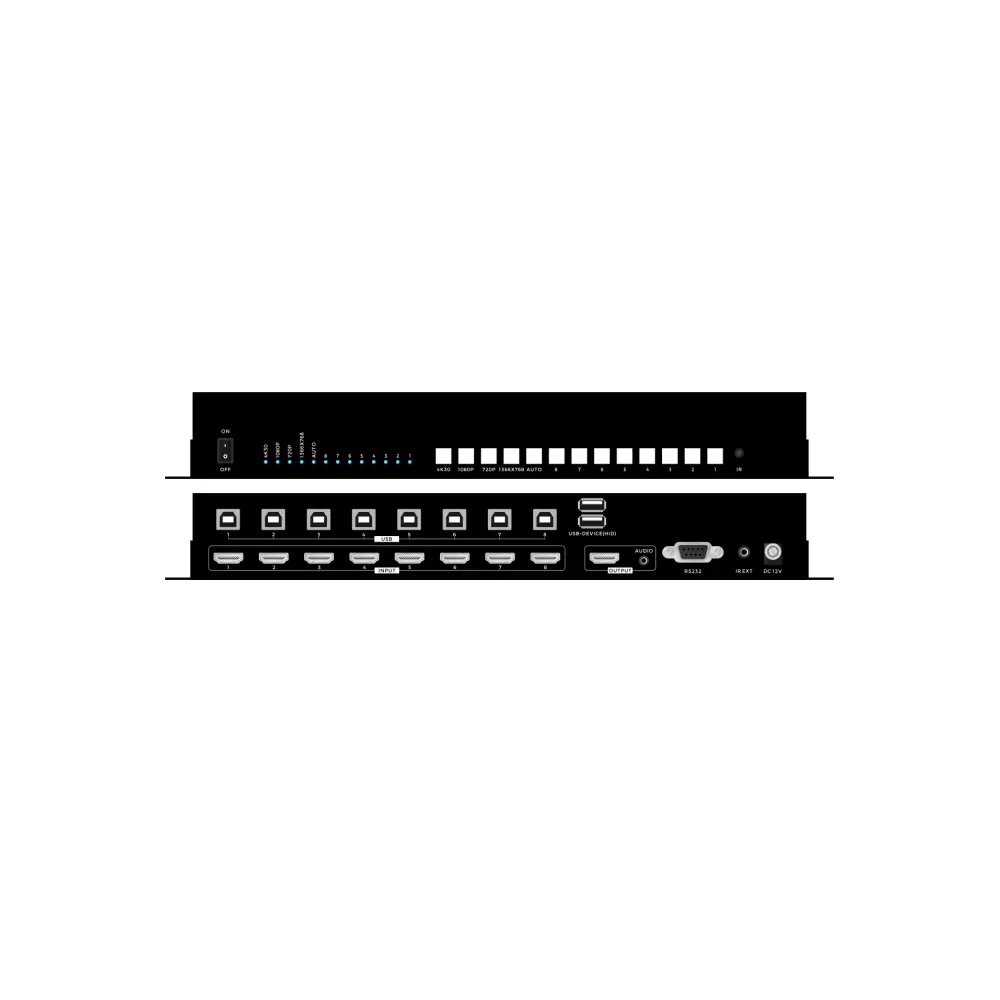
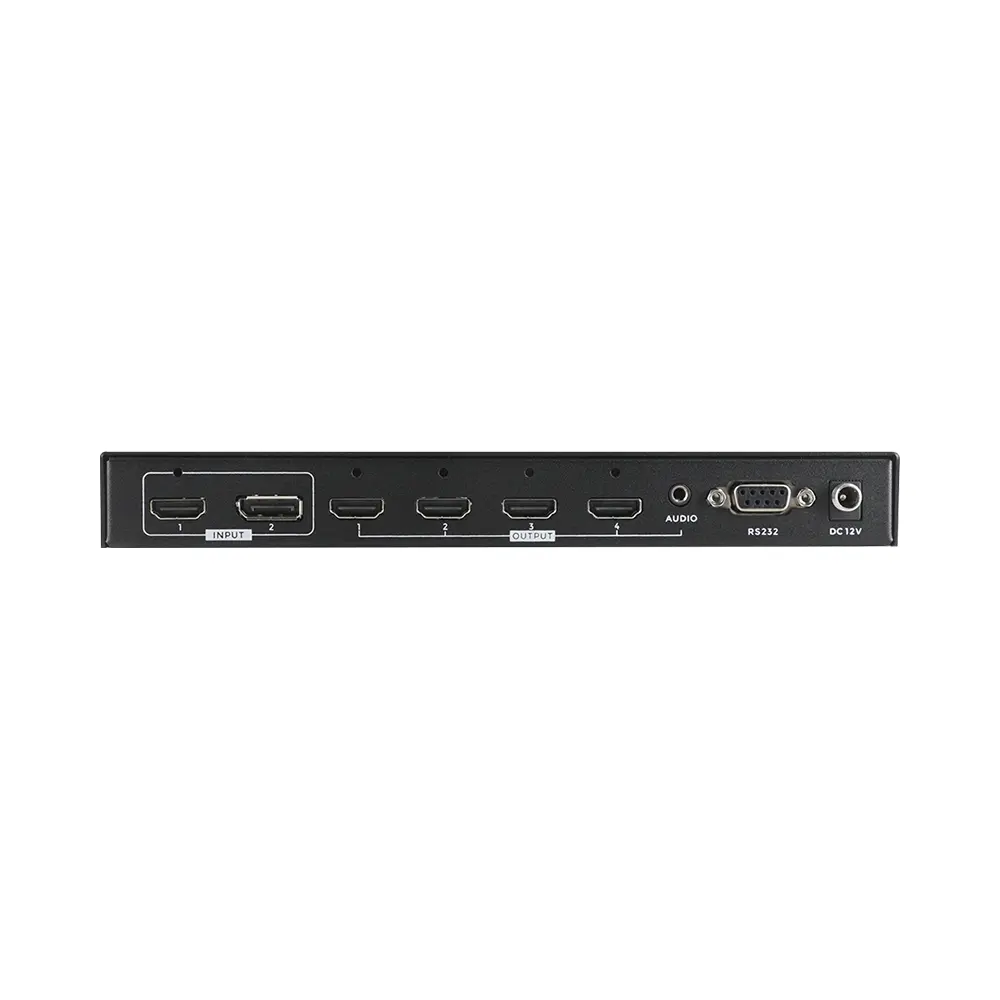
This product is an HDMI 4K seamless and scaling switcher, supports automatic switching and manual switching, supports switching from 8 HDMI with 8 USB-B inputs to 1 HDMI output with 2 USB-A for Keyboard&mouse, and 8 HDMI inputs support different arbitrary resolutions with seamless switching and scaling. The HDMI output supports fixed resolutions output, which can be selected through the front panel buttons, infrared remote control, RS232 serial port commands and the Keyboard Hot-key switching. Also supports EDID management through RS232 commands.

Features

• Support HDMI1.4, and the resolution up to 3840*2160@30Hz;

• Support CEC, ARC follow

• Support seamless switching even when different resolutions inputs;

• Support auto and manual switching modes

• Support the front panel push-button, IR remote and the RS232 control and Hot-key

• Support EDID management by RS232 commands

• Support work and standby power saving modes

• Support 8 USB-B inputs and 2 USB-A outputs

Specification

Keyboard Hot-key switch and RS232 commands

*Baud rate is 115200, data bit is 8, stop bit is 1, check bit: none

Suitable Applications
Conference Room
Auditorium
Hotel
University
Broadcast
Courtroom
Command Center

TECHNICAL SPECIFICATIONS

Input8*HDMI, 8*USB-B
Output1*HDMI+3.5mm audio, 2* USB-A
Protocol StandardHDMI1.4, HDCP1.4
Resolution(8)3840*2160@30\1920*1080@60\1280*720@60\1366*768@60
Dimension250*100*46mm
Weight0.5kg(1.1lb)(No packing)
Power SupplyDC 12V 1A
Consumption5W
Working Humidity10%-90%
Temperature-10℃-50℃
Storage-20℃-75℃
Ctrl +Ctrl +1Switch to HDMI input 1 (RS232 command: AT+HTSWIN=SC81,1$)
Ctrl +Ctrl +2Switch to HDMI input 2 (RS232 command: AT+HTSWIN=SC81,2$)
Ctrl +Ctrl +3Switch to HDMI input 3 (RS232 command: AT+HTSWIN=SC81,3$)
Ctrl +Ctrl +4Switch to HDMI input 4 (RS232 command: AT+HTSWIN=SC81,4$)
Ctrl +Ctrl +5Switch to HDMI input 5 (RS232 command: AT+HTSWIN=SC81,5$)
Ctrl +Ctrl +6Switch to HDMI input 6 (RS232 command: AT+HTSWIN=SC81,6$)
Ctrl +Ctrl +7Switch to HDMI input 7 (RS232 command: AT+HTSWIN=SC81,7$)
Ctrl +Ctrl +8Switch to HDMI input 8 (RS232 command: AT+HTSWIN=SC81,8$)
Ctrl +Ctrl +ASwitch to the Auto mode ( RS232 command: AT+HTSWMOD=SC81,1$)
Ctrl +Ctrl +MSwitch to the manual mode (RS232 command: :AT+HTSWMOD=SC81,2$)
Ctrl +Ctrl +HSwitch to the HDMI format (RS232 command: AT+HTOUTMOD=SC81,1,1$)
Ctrl +Ctrl +DSwitch to the DVI format (RS232 command: AT+HTOUTMOD=SC81,2,1$)
Ctrl +Ctrl +F1Switch the output resolution to 720P (RS232 command: AT+HTSETOUTRES=SC81,1,1$)
Ctrl +Ctrl +F2Switch the output resolution to 1366*768 (RS232 command: AT+HTSETOUTRES=SC81,2,1$)
Ctrl +Ctrl +F3Switch the output resolution to 1080P (RS232 command: AT+HTSETOUTRES=SC81,3,1$)
Ctrl +Ctrl +F4Switch the output resolution to 4K30 (RS232 command: AT+HTSETOUTRES=SC81,4,1$)

KEY FEATURES

View All ›
Support HDMI1.4, and the resolution up to 3840*2160@30Hz;
Support CEC, ARC follow
Support seamless switching even when different resolutions inputs;
Support auto and manual switching modes
Support the front panel push-button, IR remote and the RS232 control and Hot-key
Support EDID management by RS232 commands
Support work and standby power saving modes
Support 8 USB-B inputs and 2 USB-A outputs
FirmwareLatest Version
DSP TemplateDownload
AutoCADDrawing
EASE FileAcoustic Data

Product Features

  • Support HDMI1.4, and the resolution up to 3840*2160@30Hz;
  • Support CEC, ARC follow
  • Support seamless switching even when different resolutions inputs;
  • Support auto and manual switching modes
  • Support the front panel push-button, IR remote and the RS232 control and Hot-key
  • Support EDID management by RS232 commands
  • Support work and standby power saving modes
  • Support 8 USB-B inputs and 2 USB-A outputs

TECHNICAL SPECIFICATIONS

Input8*HDMI, 8*USB-B
Output1*HDMI+3.5mm audio, 2* USB-A
Protocol StandardHDMI1.4, HDCP1.4
Resolution(8)3840*2160@30\1920*1080@60\1280*720@60\1366*768@60
Dimension250*100*46mm
Weight0.5kg(1.1lb)(No packing)
Power SupplyDC 12V 1A
Consumption5W
Working Humidity10%-90%
Temperature-10℃-50℃
Storage-20℃-75℃
Ctrl +Ctrl +1Switch to HDMI input 1 (RS232 command: AT+HTSWIN=SC81,1$)
Ctrl +Ctrl +2Switch to HDMI input 2 (RS232 command: AT+HTSWIN=SC81,2$)
Ctrl +Ctrl +3Switch to HDMI input 3 (RS232 command: AT+HTSWIN=SC81,3$)
Ctrl +Ctrl +4Switch to HDMI input 4 (RS232 command: AT+HTSWIN=SC81,4$)
Ctrl +Ctrl +5Switch to HDMI input 5 (RS232 command: AT+HTSWIN=SC81,5$)
Ctrl +Ctrl +6Switch to HDMI input 6 (RS232 command: AT+HTSWIN=SC81,6$)
Ctrl +Ctrl +7Switch to HDMI input 7 (RS232 command: AT+HTSWIN=SC81,7$)
Ctrl +Ctrl +8Switch to HDMI input 8 (RS232 command: AT+HTSWIN=SC81,8$)
Ctrl +Ctrl +ASwitch to the Auto mode ( RS232 command: AT+HTSWMOD=SC81,1$)
Ctrl +Ctrl +MSwitch to the manual mode (RS232 command: :AT+HTSWMOD=SC81,2$)
Ctrl +Ctrl +HSwitch to the HDMI format (RS232 command: AT+HTOUTMOD=SC81,1,1$)
Ctrl +Ctrl +DSwitch to the DVI format (RS232 command: AT+HTOUTMOD=SC81,2,1$)
Ctrl +Ctrl +F1Switch the output resolution to 720P (RS232 command: AT+HTSETOUTRES=SC81,1,1$)
Ctrl +Ctrl +F2Switch the output resolution to 1366*768 (RS232 command: AT+HTSETOUTRES=SC81,2,1$)
Ctrl +Ctrl +F3Switch the output resolution to 1080P (RS232 command: AT+HTSETOUTRES=SC81,3,1$)
Ctrl +Ctrl +F4Switch the output resolution to 4K30 (RS232 command: AT+HTSETOUTRES=SC81,4,1$)

DOWNLOADS

No documents available for this product yet.

Product Video

No video available.

Recommended Accessories

Network Switch
Rack Cabinet
Power Sequencer
Touch Control Panel
Cable Management Kit

Customer Reviews

No public reviews yet.

Q&A

QDo you offer installation and design?
AYes — we handle full design and installation.
QHow to request a quote?
AClick "Request Quote" or message LINE.
Free System DesignProfessional solution design by our engineering team
On-site SupportInstallation & commissioning by certified engineers
Technical TrainingProduct training for users & system integrators
Extended WarrantyOptional extended warranty up to 7 Years
Become a PartnerJoin our partner program and grow with us
banner banner
banner banner